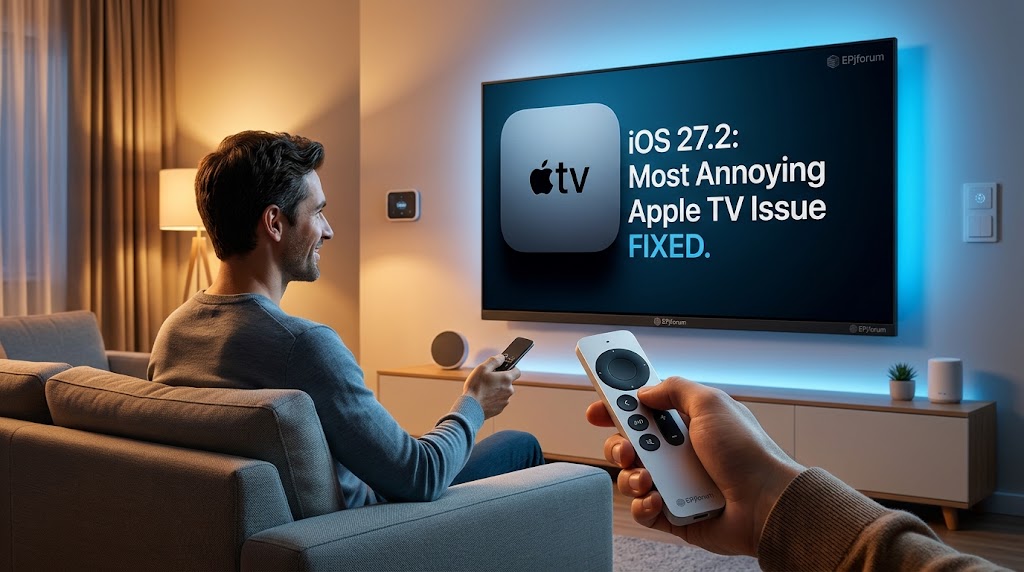
By a tech analyst who has lost the Siri Remote more times than he’d like to admit
Let’s be honest for a second. If you own an Apple TV, you’ve done it. Maybe you sat on the remote and it slipped between the couch cushions. Maybe a toddler hid it in a toy bin. Maybe you have absolutely no idea where it went and you’ve been using your iPhone as a remote for three weeks because you’re too stubborn to tear the living room apart.
The Siri Remote has always been the one Apple device that felt like it existed outside the ecosystem. Your iPhone, iPad, AirPods, MacBook—they’re all trackable in Find My. But the remote? It was the forgotten child.
That changes with iOS 27.2.
Apple’s latest update, released on October 26, finally brings second-generation and newer Siri Remotes into the Find My app . It’s a small feature in the grand scheme of things. It won’t make headlines like a new AI assistant or a foldable iPhone. But for millions of American households with an Apple TV, it’s the quality-of-life fix that’s been quietly needed for years.
And the timing? That’s not an accident.
Here’s the straightforward version. After you update your iPhone to iOS 27.2 and your Apple TV to tvOS 27.2, your compatible Siri Remote will show up in the Devices tab of the Find My app, right alongside your iPhone, iPad, and AirPods .
Before this update, there was a way to find a lost remote. You could open Control Center, tap the Apple TV remote widget, and use a proximity-based finder. But let’s be real: almost nobody knew that feature existed. It was buried, unintuitive, and felt like a secret handshake you had to be told about .
Now, the process is the same as finding anything else. Open Find My. Tap Devices. See your remote. It’s the kind of consistency that Apple is usually great at, and its absence on the Siri Remote was always a weird oversight.
Which remotes are supported? Second-generation and third-generation Siri Remotes . If you have the older aluminum remote with the black click wheel, you’re out of luck. But if you bought an Apple TV 4K at any point in the last several years, you’re probably covered.
Here’s where the timing gets interesting. Apple didn’t wake up one morning and decide to be generous with Find My support. This update is laying the groundwork for the fourth-generation Siri Remote, which ships with the new Apple TV 4K and is also available separately for $59 .
The new remote has two features the old ones don’t: Precision Finding and a built-in speaker.
Precision Finding is the same technology you use to track down an AirTag. Your iPhone doesn’t just show you a dot on a map—it gives you an arrow and a distance, guiding you step-by-step to within a few inches of the remote. And if that’s not enough, you can trigger the speaker to play a sound, so you can follow your ears to the couch cushion that swallowed it.
There’s a catch, though. Precision Finding requires an iPhone 17 or newer . If you’re rocking an iPhone 16 or older, you’ll still get the basic Find My map tracking and the ability to see your remote’s last known location, but you won’t get the directional guidance or the speaker chime. That’s a hardware limitation—the ultra-wideband chip in older iPhones isn’t up to the task.
For everyone with an older Siri Remote, the iOS 27.2 update still delivers real value. You get the centralized Find My experience, the map view, and the peace of mind that comes from knowing your remote is somewhere in the house, even if it’s not giving you a personalized treasure hunt.
Let’s talk money, because that’s what matters to real people.
The software update is free. iOS 27.2 is available now for all compatible iPhones, and tvOS 27.2 is available for Apple TV devices . There’s no subscription, no hidden fee, no “Find My Premium” nonsense. Apple deserves credit for that.
The new remote is $59. If you want Precision Finding and the speaker, you have two options: buy the new Apple TV 4K (which includes it), or buy the remote separately for $59 . That’s not cheap for a remote, but it’s also not outrageous for a device that you’ll use every single day for years.
How does that compare to alternatives? Third-party Apple TV remotes exist, and they’re cheaper—usually $15 to $30 on Amazon. But none of them support Find My. They don’t have Precision Finding. They don’t have a speaker. They’re just buttons in a plastic shell. If losing your remote is a recurring problem, the $59 investment pays for itself in sanity.
What about Roku and Fire TV? Roku’s Voice Remote Pro has a built-in speaker for finding it via the Roku app, and it costs around $30. Amazon’s Fire TV remotes have similar functionality through the Fire TV app. But neither integrates with Find My, and neither offers the same precision guidance as Apple’s UWB-based system. The Apple ecosystem tax is real, but so is the integration.
The hidden cost: If you want the full experience—Precision Finding and the speaker—you need an iPhone 17 or newer. If you’re on an iPhone 16 or older, you’re paying $59 for a remote that can only do half of what it’s capable of. That’s a frustrating upgrade cycle, but it’s also how Apple has always operated. New features drive hardware sales.
iOS 27.2 isn’t just about finding your remote. Apple’s release notes confirm that the update patches 163 security vulnerabilities, including issues related to Apple Intelligence and Hide My Email . That’s a record number for a point release, and it’s a reminder that even “minor” updates carry significant security weight.
For anyone who’s been putting off the update because they don’t care about Find My or the new Siri features, the security patch alone is reason enough to install it tonight. There’s no evidence that any of these vulnerabilities were actively exploited in the wild, but 163 fixes is not a number to ignore .
Second-generation and third-generation Siri Remotes. The first-generation aluminum remote (the one with the black click wheel) is not supported. If you have an Apple TV 4K from the last several years, you almost certainly have a compatible remote .
No. Any iPhone running iOS 27.2 can see a compatible Siri Remote in the Find My app and track its last known location on a map. However, Precision Finding—the directional guidance that leads you step-by-step to the remote—requires an iPhone 17 or newer . The same applies to triggering the speaker chime on the new fourth-generation remote.
Yes. iOS 27.2 and tvOS 27.2 are free software updates. There is no charge to use Find My with your Siri Remote. The only cost is if you choose to buy the new fourth-generation Siri Remote ($59) to get Precision Finding and the speaker .
The fourth-generation Siri Remote is $59 and is available directly from Apple and through major retailers like Amazon, Best Buy, and Walmart. It’s also included with the new Apple TV 4K. Pricing is consistent across platforms—Apple rarely discounts first-party accessories at launch .
The official line is that Apple added support when it announced the fourth-generation Apple TV 4K, which introduced the new remote with Precision Finding and a speaker. The iOS 27.2 update fulfills that promise for both new and older remotes . The less official answer is that the old workaround—digging through Control Center—was never a real solution, and Apple finally acknowledged that.
Make sure both your iPhone and your Apple TV are updated to iOS 27.2 and tvOS 27.2 respectively. The remote may need a moment to receive a firmware update and register with Find My. If it still doesn’t appear, try restarting both devices. If you’re still stuck, check that your remote is a second-generation or newer model .
Yes. The fourth-generation Siri Remote is compatible with all Apple TV 4K and Apple TV HD models for basic functionality. However, Precision Finding requires both the new remote and a compatible iPhone (17 or newer) .
If you’ve ever lost a Siri Remote, yes. If you haven’t, the 163 security fixes are a compelling reason on their own . The update also includes new features for Siri AI, Photos, Messages, and more, making it a substantial release beyond just the Find My addition.
iOS 27.2 is not a glamorous update. It doesn’t introduce a revolutionary AI feature or redesign the iPhone’s interface. It fixes a security record, adds some language support to Siri, and finally puts the Siri Remote where it always belonged: in the Find My app.
But that last part matters more than it might seem.
Find My is one of Apple’s most underrated services. It’s the reason you can breathe a little easier when your AirPods go missing, or when your iPad doesn’t turn up in your bag. It’s a safety net that makes the Apple ecosystem feel cohesive and trustworthy. The Siri Remote’s absence from that net was a small but persistent inconsistency—a reminder that even Apple doesn’t always get the details right the first time.
The timing of this fix, coinciding with the launch of a new remote that actually deserves Precision Finding, is classic Apple. The company doesn’t just add features for the sake of it. It adds them when there’s a hardware story to tell, when the pieces align to create a moment.
If you have an older Siri Remote, iOS 27.2 gives you the basic Find My integration you’ve been missing. If you’re willing to spend $59 and you have an iPhone 17, the new remote gives you something closer to magic: an arrow that points you directly to the remote that’s been hiding under a magazine for two days.
Is that worth $59? Only you can answer that. But for anyone who’s spent twenty minutes patting down couch cushions while muttering under their breath, it’s a tempting proposition.
This article is for informational and editorial purposes only. Information regarding iOS 27.2, tvOS 27.2, the Siri Remote, and Find My functionality is based on reporting from 9to5Mac, MacRumors, and other verified sources, accurate as of October 2026. The author is not affiliated with Apple Inc. No compensation was received for this article. Pricing for the fourth-generation Siri Remote ($59) is based on Apple’s official pricing and may vary by retailer or region. Feature availability, including Precision Finding, depends on hardware compatibility (iPhone 17 or newer) and is subject to change with future software updates. Always verify product compatibility and pricing before making a purchase. Reader discretion is advised for anyone who has ever blamed a pet, a child, or a ghost for a missing remote—we’ve all been there.
Target SEO Keywords & Tags:




Leave a comment